
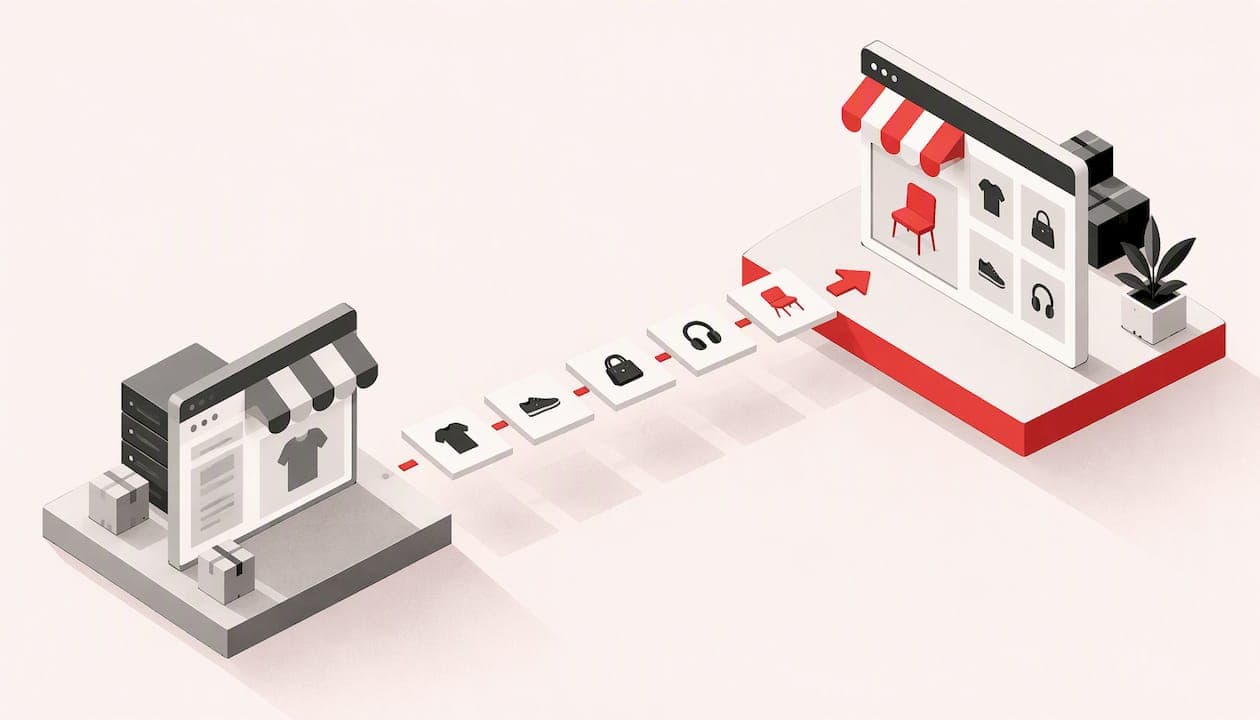
An ecommerce platform migration means moving your online shop (products, customers, orders, content and URLs) from one system to another. Done well, customers barely notice and your search rankings hold. Done badly, you lose orders, links and trust in a weekend. This guide covers when a move makes sense, what to budget for, and the order in which to do things, written for owners of small shops rather than enterprise teams.
TL;DR
- Migrate for a clear business reason (cost, limits, reliability, features), not because a newer platform looks better.
- Judge the move on five-year total cost, not the day-one price. The licence is often the smallest line.
- Map every old URL to a new one and use permanent (301) redirects. This protects most of your search traffic.
- Run the new shop in parallel, test the checkout and emails with real orders, and pick a quiet day to switch.
- Ask for an itemised quote that names every task: data import, redirects, payments, testing and aftercare.
Table of Contents
- When a migration is worth it
- What an ecommerce migration costs
- Before you touch anything: audit and set goals
- Choosing the new platform
- The migration plan, step by step
- Common migration mistakes
- Our perspective: keep it simple and keep one person accountable
- How we can help
- FAQ
- Sources
When a migration is worth it
Most small shops do not need to move. A migration is disruptive, and the cost only pays back if something is genuinely holding the business back. These are the reasons that usually justify it:
- You have outgrown the platform. Product variants, trade pricing, bundles or delivery rules that need a stack of workarounds.
- Costs have crept up. Monthly app fees, transaction fees and add-ons now exceed what a simpler setup would cost.
- The site is slow or unstable. Slow pages and checkout errors cost sales directly.
- You cannot get at your own data. If exporting customers or orders is hard, you are locked in.
- Your business has changed. You now need booking, quoting, stock sync with a shop counter or a wholesale area.
Reasons that rarely justify it: a new design on its own (a redesign can often be done on the existing platform), or a competitor using something different.
It also helps to be honest about the tier you are in. Industry commentary describes hosted, software-as-a-service platforms as the usual choice for small and mid-sized sellers who want speed, while heavyweight enterprise systems are aimed at very large brands with $50M+ in gross merchandise value. A shop turning over tens or hundreds of thousands of pounds a year almost never needs the second kind.
What an ecommerce migration costs
The search results for this topic are full of "how much does it cost?" questions, and the honest answer is that it depends on four things: how many products you have, how much history you bring across, how many integrations (payments, accounting, shipping) you rely on, and how much of the design must be rebuilt.
The same industry outlook makes a point worth remembering: the platform licence is often the smallest part of the budget, and buyers are advised to compare five-year total cost of ownership rather than day-one price. For a small shop, build the comparison like this:
| Cost line | One-off or recurring | Often forgotten? |
|---|---|---|
| Platform subscription or hosting | Recurring | No |
| Theme or design work | One-off | Sometimes |
| Data import and clean-up | One-off | Yes |
| Redirects and SEO checks | One-off | Yes |
| Payment gateway set-up and fees | Both | Sometimes |
| Paid apps or plugins | Recurring | Yes |
| Updates, security, backups | Recurring | Yes |
| Your own time for testing | One-off | Almost always |
Add up the right-hand column for both the old and the new platform over five years. If the new setup is not clearly better on cost, capability or reliability, stay put and fix the specific problem instead.
Before you touch anything: audit and set goals
Write down what the move must achieve in plain terms. "Cut monthly running costs by a third" or "let customers pay by invoice" is a goal. "Modernise" is not. Then take stock:
- Products. Total number, variants, images, descriptions, SKUs, weights, categories, tags and any custom fields.
- Customers and orders. Accounts, addresses, order history, discount codes, gift cards and subscriptions.
- Content. Blog posts, delivery and returns pages, policies, size guides.
- URLs. Export every live address, plus the ones that earn traffic and links.
- Integrations. Payment provider, accounting software, courier labels, email marketing, reviews, stock systems.
- Analytics. Your current conversion rate, top landing pages and best-selling products, so you can compare after launch.
That last list is your baseline. Without it you cannot tell whether the migration helped or hurt.
Find the products and customers that matter most
Not all of your catalogue deserves equal care. Many shops find a small share of products and customers carry most of the revenue. Marketing research suggests a 60/20 pattern in many brands, where the top 20% of buyers generate around 60% of sales, and the pattern becomes more extreme for smaller brands. Pull your order history, sort by spend, and make sure your best customers and best-selling products are checked first after the move. But do not ignore the long tail of occasional buyers: the same research argues they supply a large share of future growth, so their accounts and order history deserve to arrive intact too.
Choosing the new platform
Resist starting with brand names. Start with the type of system that suits your business:
- Hosted, all-in-one platforms. Fast to launch, security and updates handled for you, monthly fees plus transaction or app costs. Good for straightforward catalogues.
- Open-source shops on your own hosting. More control and flexibility, no platform licence, but you or someone you trust must look after updates, security and speed.
- Custom-built shops. Built around how you actually trade: unusual pricing, stock logic, booking or quoting. Higher upfront cost, no workarounds.
- Headless set-ups. A separate front end on top of a commerce engine. Powerful, but it adds cost and moving parts, and some brands have been reported to be moving back to simpler native set-ups. For a small shop this is rarely the right first step.
Score each option against your goals, your five-year cost table and who will maintain it. If nobody in your business wants to handle updates and backups, put that into the cost of the option rather than assuming it is free.
The migration plan, step by step
1. Back up everything
Export products, customers, orders, redirects, and a full copy of the site files and database where you have access. Store copies somewhere separate from the old platform. Do this before every major step, not just once.
2. Build the new shop on a staging site
Work on a private copy, not a live address. This is where you set up the theme, tax rates (including UK VAT), delivery zones, payment gateways and email templates. Keep the old shop trading normally while you do.
3. Import and clean the data
A migration is the best excuse you will get to tidy up. Remove dead products, merge duplicates, fix inconsistent category names and standardise image sizes. Then run a trial import and check a sample of 20 to 30 products by hand: variants, prices, stock levels, images and descriptions. Bugs found here cost minutes; bugs found after launch cost sales.
Customer passwords are the classic sticking point. Most platforms cannot move password hashes across, so plan for customers to set a new password and tell them in advance by email.
4. Map every old URL to a new one
This is the step that decides whether your search traffic survives. Google's own guidance on site moves tells you to prepare a mapping from old URLs to new ones, then redirect, and to monitor traffic on both afterwards. Build a spreadsheet with two columns: old URL, new URL. Cover products, categories, blog posts, images that earn links and any campaign landing pages.
Some rules that save pain:
- Redirect each old page to its closest equivalent, not everything to the homepage.
- Use permanent (301) redirects. Google says these do not cause a loss of link credit on their own.
- If a product is discontinued, redirect to its category or a close alternative.
- If an agency handles your move, make sure redirects are written into the scope of work, not assumed.
5. Test like a customer
On staging, place real test orders with every payment method and delivery option. Check:
- Basket, discount codes and VAT calculation
- Order confirmation, dispatch and refund emails
- Stock reducing correctly after an order
- Account creation and password reset
- Mobile layout on an actual phone, not just a resized browser window
- Page speed on product and category pages
Pay particular attention to checkout. Baymard's research finds the average cart abandonment rate is about 70%, and that a checkout can be trimmed to around 12 form fields where the average US checkout shows 23.48. A migration is the cheapest moment to remove unnecessary fields, offer guest checkout and cut steps. Their research also estimates that checkout design improvements can lift conversion by an average of 35% for large sites; treat that as an indication of the opportunity, not a promise for a small shop.
6. Run in parallel, then pick your moment
Keep the old shop live until the new one has passed every test. Choose a quiet trading window, not the week before Black Friday or Christmas, and not a Friday afternoon when nobody is around to fix problems. Freeze product and order changes on the old shop for the short window of the final data sync, so no order falls between the two systems.
7. Cut over
On switch-over day:
- Do a final import of new orders and customers made since the trial import.
- Point your domain at the new shop and switch on HTTPS.
- Activate the redirect map.
- Put through a live test order and refund it.
- Submit the new sitemap in Google Search Console.
- Tell customers by email if logins or delivery details have changed.
8. Monitor for the first 30 days
Watch Search Console for crawl errors and 404s, and compare traffic, conversion rate and revenue against your baseline. Fix broken redirects the same day. Expect small ranking wobbles in the first weeks as search engines recrawl; a sustained drop on key pages means something in the mapping needs attention. Keep the old platform account active (read-only if possible) for a few months so you can look up historic orders.
Common migration mistakes
- Redirecting everything to the homepage. Search engines treat this poorly and customers hit a page that has nothing to do with what they clicked.
- Changing URLs for no reason. If the new platform allows the same URL structure, keep it. Fewer changes means fewer risks.
- Skipping test orders. Payment and email problems are only visible when someone actually buys.
- Forgetting tracking. Analytics, ad pixels and conversion tags must be reinstalled or your marketing data goes blind.
- Losing legal pages. Delivery, returns, privacy and terms must be live and accurate on day one.
- No aftercare plan. Updates, backups and security checks do not stop after launch.
Our perspective: keep it simple and keep one person accountable
We build websites and online shops for small businesses and tradespeople across the UK, and our view on migration is shaped by how small shops actually run. Most owners we speak to do not have an IT department. They have a shop to run, orders to pack and a limited budget, so the migration has to be predictable.
First, we think the quote matters as much as the build. Every quote we give is itemised and explained in plain English before any work begins, so you can see exactly what you are paying for: import, set-up, testing and aftercare. If a migration quote is a single line with a single number, ask what is missing.
Second, you should be able to talk to the person doing the work. With us you speak directly with the developer on your project, with no call centre or middleman passing messages along. On a migration, small details (a variant that imports wrongly, a redirect that needs a judgement call) are settled in a short conversation rather than a ticket queue.

Third, a shop is not finished at launch. Hosting, updates and technical support are what keep it working, which is why we offer managed care plans alongside builds. If you move platforms to get away from running costs, factor the ongoing care into the comparison honestly, whoever provides it.
Finally, be sceptical of the idea that bigger is better. If your catalogue is modest, a well-built, right-sized shop will usually beat a complicated platform you only use a fraction of.
— User
How we can help
If you are weighing up a move, we can look at your current shop and tell you whether a migration, a redesign on your existing platform or a new build makes most sense. Our E-Commerce Website Package starts from £699 one-off and our bespoke e-commerce websites start from £2,495 one-off, including secure payment processing, customer management and inventory and order management. If your current shop looks fine but sells poorly, a website redesign may be the better route, and if you need booking or enquiry tools around your shop, we also build custom business systems. Ongoing care starts from £29 per month on Basic Care, and E-Commerce Care starts from £79 per month, covering hosting, updates and support. Pricing for redesigns and business systems is quoted individually, itemised, before work starts.

FAQ
How long does an ecommerce platform migration take?
For a small shop with a few hundred products, expect a few weeks from audit to launch, longer if you have custom integrations or a lot of design work. The data import itself is usually quick. Testing, redirect mapping and fixing the details take most of the time. Leave extra room if you want to avoid your busiest trading period.
Will I lose my Google rankings if I migrate?
You may see a short wobble, but a well-prepared move should not cause lasting damage. Google's guidance is to map old URLs to new ones, use permanent redirects and monitor traffic afterwards, as set out in its site move documentation. Rankings tend to suffer when redirects are missing, URLs change needlessly or content is dropped.
How much does it cost to migrate a website to a new platform?
It depends on your product count, the data you carry over, integrations and how much design must be rebuilt. Compare the five-year cost of the old and new set-ups rather than only the build price, since the licence is often the smallest part of the budget. Ask any provider for an itemised quote so each task is visible.
Can I keep my customer accounts and order history?
Usually yes for names, addresses and order history, although the exact detail depends on the platforms involved. Passwords generally cannot be carried across, so customers are normally asked to set a new one. Check how both systems export and import data before you commit, and keep a full backup of the old shop.
Should I migrate during a busy season?
No, if you can avoid it. A quiet period gives you room to test, fix problems and watch the results without losing peak-season orders. If you have to move at a busy time, run the shops in parallel for longer and keep the cut-over window as short as possible.