
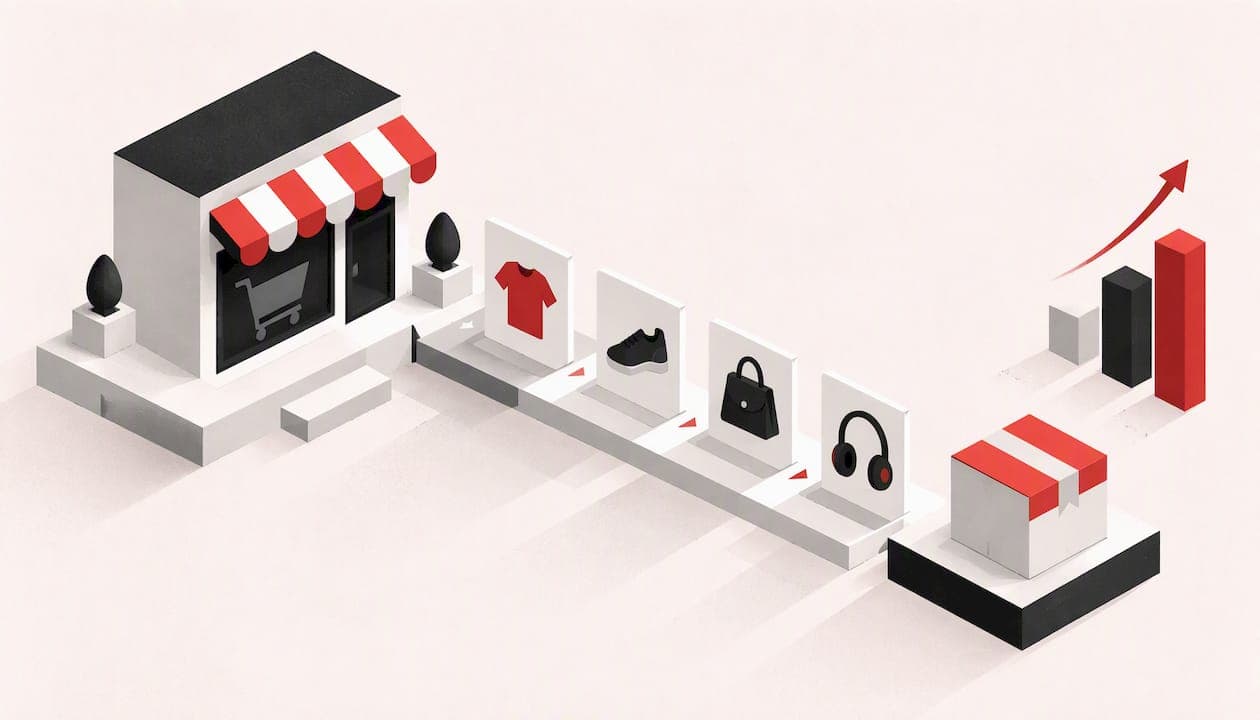
To increase ecommerce sales, fix what happens to visitors you already have before you pay for more of them. Speed up the site, make product pages answer every question, strip friction from checkout, then raise order value and bring buyers back. Traffic comes last, because extra visitors sent into a leaky shop just leak faster.
This guide is written for small shop owners in the UK who run their own store and want a sequence they can work through, not a list of fifteen ideas with no order.
TL;DR
- Measure first: sessions, conversion rate, average order value and where people drop out of the funnel.
- Fix leaks before buying traffic: page speed, product pages, mobile layout and checkout.
- Make checkout short: guest checkout, fewer fields, wallets and autofill.
- Then raise order value and repeat orders with recommendations, bundles and email.
- Spend on traffic once the shop converts, and keep each channel measurable.
Table of Contents
- Start with the sum behind your revenue
- The order that works
- Step 1: make the shop fast
- Step 2: make product pages do the selling
- Step 3: fix mobile
- Step 4: shorten checkout
- Step 5: raise average order value
- Step 6: bring buyers back
- Step 7: buy traffic once the shop is ready
- Our view: the shop is the strategy
- When it is time to rebuild rather than patch
- How we can help
- A four-week starting plan
- FAQ
- Sources
Start with the sum behind your revenue
Revenue is sessions multiplied by conversion rate multiplied by average order value, according to one ecommerce analytics guide. Profit then depends on what each customer cost you to win and how often they come back. That sum tells you where to push.

Take a shop with 5,000 sessions a month, a 1.5% conversion rate and a £40 average order. That is 75 orders and £3,000. Lifting conversion to 2% gives 100 orders and £4,000, with no extra traffic. Doubling traffic would have cost far more. The numbers are illustrative, but the arithmetic is the point: a small gain in conversion or order value usually costs less than a big gain in visitors.
Before you change anything, record your baseline in your analytics tool:
- Sessions by source (direct, organic search, referral, social, paid).
- Conversion rate, split by mobile and desktop.
- Average order value.
- Drop-off at each funnel step: product page, basket, checkout, payment.
- New against returning visitors.
The UK government's own guidance for online sellers, on how to increase sales on your e-commerce website, starts in the same place: measure conversion and funnel drop-outs, understand your traffic sources, and treat new and returning visitors separately. Returning visitors generally stay longer and convert at higher rates, so blending the two hides what is working.
One caution on benchmarks. A published figure such as a top-20% conversion rate above 3.2% in a 2023 benchmark of 2,800 Shopify stores is a useful marker, but a shop selling £15 consumables and one selling £900 furniture will convert very differently. Compare yourself with last month before you compare yourself with anyone else.
The order that works
A sensible sequence, which matches the order set out in one growth guide, is:
- Fix the leaks on the traffic you already get.
- Raise the value of each order.
- Bring buyers back.
- Spend more on traffic.
The logic is simple. Improving a product page or a checkout step helps every visit that follows. Buying traffic first sends more people into the same problems.
Step 1: make the shop fast
Speed is the least glamorous lever and one of the most reliable. Google's Milliseconds Make Millions study associated a 0.1-second improvement in mobile site speed with an 8.4% increase in retail conversions and a 9.2% increase in average order value. Earlier Google research found that about 40% of people leave a page that takes longer than three seconds to load. Those are association figures, not guarantees, but the direction is consistent.
Practical targets come from Core Web Vitals: Largest Contentful Paint under 2.5 seconds, layout shift under 0.1 and Interaction to Next Paint under 200 milliseconds. Check yours in Google's free PageSpeed Insights, using your product and checkout pages rather than just the homepage.
The usual culprits on small shops:
- Photos uploaded straight from a camera or phone and never compressed.
- A pile of plugins and third-party scripts, many of them unused. Mailchimp's conversion guidance lists compressed images and fewer third-party scripts among its basics.
- Cheap shared hosting that slows under load.
- Pop-ups and chat widgets that load before the product does.
Step 2: make product pages do the selling
The product page is where most buying decisions are made. Salesforce's guidance on increasing ecommerce sales recommends benefit-led descriptions, several high-quality images or video, and answers to the questions people will otherwise email you: dimensions, ingredients, setup, delivery.
The stakes are real. Salsify's 2024 consumer research, as reported by one ecommerce guide, found that 42% of shoppers said poor product titles and descriptions were enough to make them abandon a cart.
A checklist for every product page:
- A title that says what the thing is, in the words a customer would search.
- Three to six images, including one showing scale or the product in use.
- A short benefit-led paragraph, then the specification in a scannable list.
- Delivery cost and time visible without scrolling or going to the basket.
- Returns terms in plain English.
- Stock status that is honest.
If you also sell through marketplaces, the same discipline applies there. A guide on how to optimise eBay listings shows how clearer product information and better listings reduce the hesitation that stops a buyer clicking purchase.
Reviews are worth the effort
Reviews answer the question you cannot: what is it really like? A summary of Northwestern University's Spiegel Research Center work, published by a reviews company in 2025, says products with at least five reviews were 270% more likely to be bought than products with none, and reports conversion lifts of 190% for lower-priced items and 380% for higher-priced items when reviews were shown. Treat the exact percentages with caution, since they come from particular datasets, but the pattern is clear: higher-priced items gain most.
How to collect them without a large budget:
- Send a review request by email a week or so after delivery.
- Make it one click from the email.
- Show reviews on the product page, not buried on a separate tab.
- Answer negative reviews politely and publicly.
Help people find things
Mailchimp's guidance also stresses clear category structure, useful on-site search and filters, and visible calls to action. If your catalogue has more than a few dozen products, look at your site search report. The phrases people type and fail to find are a free list of what to rename, add or stock.
For visibility in search, Google's documentation explains that Product structured data helps it understand ecommerce content and can support appearing in shopping-related experiences. Most modern shop platforms add some of it automatically; check yours rather than assuming.
Step 3: fix mobile
If most of your visitors arrive on a phone, a desktop-first design is costing you orders. The basics from Salesforce's mobile advice are large buttons, autofill, guest checkout and fewer unnecessary fields. Test your own shop with one thumb, on a mid-range phone, on mobile data. Try to buy something. Every moment of irritation you notice is one your customers feel too.
Step 4: shorten checkout
This is where interested buyers walk away. Stripe's customer experience guidance recommends guest checkout, fewer steps, digital wallets, address autofill and real-time validation with helpful error messages.
Two points from Baymard Institute's usability research are worth acting on today:
- Guest checkout should be prominent, not hidden behind a login form.
- Asking for account creation only after the order is confirmed reduces abandonment.
The government's guidance also advises simplifying checkout and payment and offering payment options that suit the places you sell to. For UK buyers that normally means cards plus at least one wallet, such as Apple Pay or Google Pay, and a pay-later option if your margins allow it.
Win back abandoned carts
Some abandonment is unavoidable, but you can recover a share of it. One 2025 survey of 4,374 Japanese shops using a cart recovery service found average abandonment of 62.9%, with recovery emails opened 42.6% of the time and converting at 2.3%. It is a vendor survey from another market, so use it as a rough indication rather than a target. The takeaway is that a simple automated email, sent when someone leaves a basket and has given you their address, tends to be opened and sometimes buys.
Keep it plain: a photo of what they left, the price, delivery information and a single button back to the basket. Do not open with a discount; try it without one first.
Step 5: raise average order value
Once fewer people leak out, make each order worth more. Search Engine Land's 2025 marketing guide recommends behaviour-based product recommendations using browsing, purchase and basket data. You do not need a sophisticated system to start:
- Related products on the product page: accessories, refills, the matching item.
- Bundles: a modest saving for buying three together.
- A free delivery threshold: set it a little above your current average order, so a customer adds one more item to qualify. If your average is £40, a £50 threshold is worth testing.
- Basket suggestions: low-cost add-ons, not a second sales pitch.
Watch your margin. A bundle discount that eats your profit raises revenue but not income.
Step 6: bring buyers back
A returning customer costs far less than a new one. Email is the cheapest route: a thank-you and care guide after purchase, a replenishment reminder when the product runs out, and an occasional note about new stock. Segment at least into new customers, repeat customers and people who browsed but did not buy, as the government's advice on separating new from returning visitors suggests.
Experience matters as much as messages. Research reported in a 2017 Boston Consulting Group and Google study found more than 90% of B2B buyers with a superior mobile experience likely to buy again from the same vendor, against about 50% with a poor one. That study covers business buyers, but the principle carries over: an easy shop gets used again.
Step 7: buy traffic once the shop is ready
Now it is worth sending more people in. Amazon's ecommerce strategy guide lists SEO, content, email, social and paid advertising, and recommends adjusting campaigns against traffic, sales, conversion and acquisition-cost metrics. For a small shop:
- Search: write category and product pages for the phrases buyers type. It is slow, but it compounds.
- Email: build the list from day one, with a clear reason to sign up.
- Paid search and shopping ads: start small, on your best-converting products, and track cost per order.
- Social: pick one platform where your customers actually are.
- Marketplaces: a second sales channel can bring buyers you would not reach alone.
The government guidance reminds sellers to spread across sources, so a change to one search algorithm or one ad account does not sink the business.
Our view: the shop is the strategy
We build and look after small business websites and online shops, and the same pattern turns up again and again. Owners come to us wanting more traffic, when the real problem is a slow theme, a checkout asking for too much, or product pages written from a supplier's spreadsheet.

Our advice is to ask what the site is doing to the customers who already arrive. If you can talk to the person who builds and maintains your shop, small fixes happen quickly. That is how we work: you speak directly to the developer on your project, with no call centre in between, and quotes are itemised and explained in plain English before any work starts.
The other thing we see is shops that launch well and then drift: plugins out of date, hosting that never gets reviewed, a checkout nobody has tested since the build. A shop is not a leaflet. It needs looking after, or conversion slips quietly.
— Matt Ratcliff
When it is time to rebuild rather than patch
Some problems cannot be tuned away. If your platform cannot offer guest checkout, loads slowly even with compressed images, or makes mobile layouts clumsy, the cheaper route may be a rebuild. If you are weighing that up, our guide to ecommerce platform migration for small UK shops covers what to plan for.
How we can help
If you are starting out, our E-Commerce Website Package starts from £699 one-off, and Business Website Package from £299 one-off; both are on our packages page. For a fuller custom shop with secure payments, customer management and inventory and order management, our e-commerce websites start from £2,495 one-off. Existing shop that converts badly? Our website redesigns service is built for that, and we quote after looking at your site.
After launch, our care plans cover hosting, updates and technical support: Basic Care from £29 per month, Business Care from £49 per month and E-Commerce Care from £79 per month.
A four-week starting plan
- Week 1: record your baseline numbers and run speed tests on your product and checkout pages.
- Week 2: compress images, remove unused plugins and rewrite your ten best-selling product pages.
- Week 3: enable guest checkout, a wallet payment and an abandoned-basket email.
- Week 4: add related products and a free delivery threshold, then compare conversion and average order value with week 1.
Change one thing at a time where you can, so you know what worked. Keep the changes that raised the numbers and drop the rest.
FAQ
How can I increase my ecommerce sales quickly?
The fastest gains usually come from fixing checkout and product pages: enable guest checkout, cut form fields, add clear delivery information and compress images. These changes apply to every visitor you already have. Paid advertising is quicker to switch on but costs more per sale if the shop converts poorly.
What is the 80/20 rule in ecommerce?
It is the idea that roughly 80% of revenue comes from 20% of customers or products. Check your own figures: sort sales by product and by customer. If a handful of items drive most of your income, put your best photography, reviews and advertising there, and look after your top customers with email.
What are the 5 Cs of ecommerce?
The traditional list is Company, Collaborators, Customers, Competitors and Context. It is a planning checklist for assessing your advantage, partners, ideal buyers, rivals and the wider legal and economic setting. It helps with strategy, but it will not fix a slow checkout.
What conversion rate should a small shop aim for?
There is no single number, because it depends on price, product and traffic source. One benchmark of 2,800 Shopify stores put the top 20% above 3.2%, but your best comparison is your own rate from last month. Track mobile and desktop separately and aim to improve steadily.
Sources
- How to increase sales on your e-commerce website, business.gov.uk
- Structured data for ecommerce sites, Google Search Central
- Make guest checkout prominent, Baymard Institute
- Save account creation for the confirmation step, Baymard Institute
- Milliseconds Make Millions, Think with Google
- Why marketers should care about mobile page speed, Think with Google
- Mobile marketing and the new B2B buyer, Think with Google
- Ecommerce conversion rate optimization strategies, Stripe
- Ecommerce customer experience strategies, Stripe
- How to increase ecommerce sales, Salesforce
- The marketer's guide to ecommerce CRO, Mailchimp
- Ecommerce marketing strategies to boost sales, Search Engine Land
- Ecommerce strategy guide, Amazon
- How to increase ecommerce sales: 12 levers in order
- Ecommerce analytics guide
- Product reviews and online sales
- Cart abandonment survey 2025
- The 5 Cs of ecommerce marketing, Practical Ecommerce